Elix vs Jira: Which Project Management tool is right for your team?
Blog
·
23/10/2026
·
Choosing the right project management software can make a significant difference to how your organization plans projects, manages tasks, coordinates teams and delivers results.
For many IT teams, Jira is an established choice for Agile project management, issue tracking and software development workflows. Its ecosystem supports teams that need structured backlogs, Scrum and Kanban boards, customizable workflows, reporting and integrations.
However, not every organization has the same requirements. Some need more than software development and issue tracking. Organizations may also need to connect project management with business processes, approval workflows, testing, release management and other operational activities in a configurable environment.
This is where comparing Elix vs Jira becomes useful.
Elix vs Jira at a glance
Jira Software, developed by Atlassian, is an Agile project management and issue-tracking platform widely used by software development teams. It helps teams manage backlogs, plan sprints, track bugs, coordinate development work and monitor progress.
Elix, developed by think tank, is a modular business and project management suite designed to support IT projects, business activities and operational workflows. Its capabilities extend beyond project tracking to include testing, release management and low-code application development.
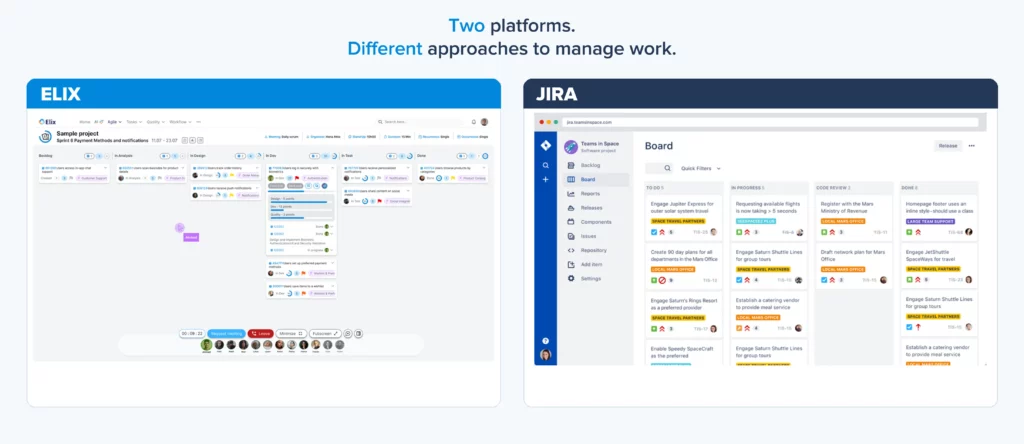
Both platforms help teams organize work and improve collaboration. The main difference lies in their scope, customization approach and how they support different business needs.
Category | Elix | Jira |
Core positioning | Modular business & project management suite | Work and project management platform with a strong software development focus |
Agile project management | Both platforms support Agile frameworks, including Scrum and Kanban | |
Task Management & Ticketing | Integrated task and ticket management | Issue and work item tracking |
Test and Release management | Built-in test and release management (Test library, test cases, test execution, automated & autonomous testing) | Release tracking is available; advanced test management typically requires third-party apps or integrations |
Non-IT projects | Can manage different business and operational processes (HR, Marketing, Financial projects) | Configurable projects, templates and workflows. |
Low-code Customization | Low-code builder for creating and adapting business applications, data models, forms, tables, workflows, charts and APIs | • Configurable fields, screens, and workflows. • Extended customization through Marketplace apps |
Deployment & Pricing | • Cloud or on-premises options, subject to solution scope • Pricing : Request a quote | • Cloud and Data Center offerings subject to Atlassian’s current lifecycle • Pricing : Check subscription plans |

Low-code customization: configuring work vs. building applications
Customization is important when standard project management workflows do not match an organization’s processes.
1. Jira Software: configurable workflows and extensions
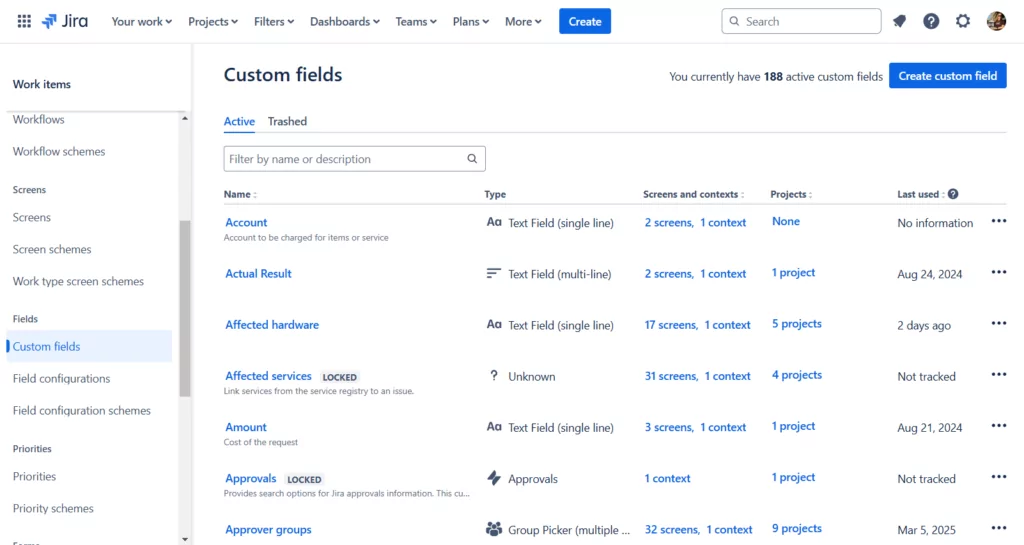
Jira supports customization through configurable fields, work types, screens and workflows. Its automation capabilities can also help teams reduce repetitive tasks and standardize processes. For more specialized functionality, teams can extend Jira through Marketplace apps, integrations and APIs.
Jira capability | Practical example |
Custom fields | Add a Business Impact field to prioritize issues based on their effect on operations. |
Work types | Create distinct issue types for bugs, user stories, service requests or project tasks. |
Screens | Show developers technical fields while presenting business stakeholders with a simpler set of fields. |
Workflows | Define approval stages such as Submitted → Under Review → Approved → Completed. |

2. Elix: a low-code approach to business applications
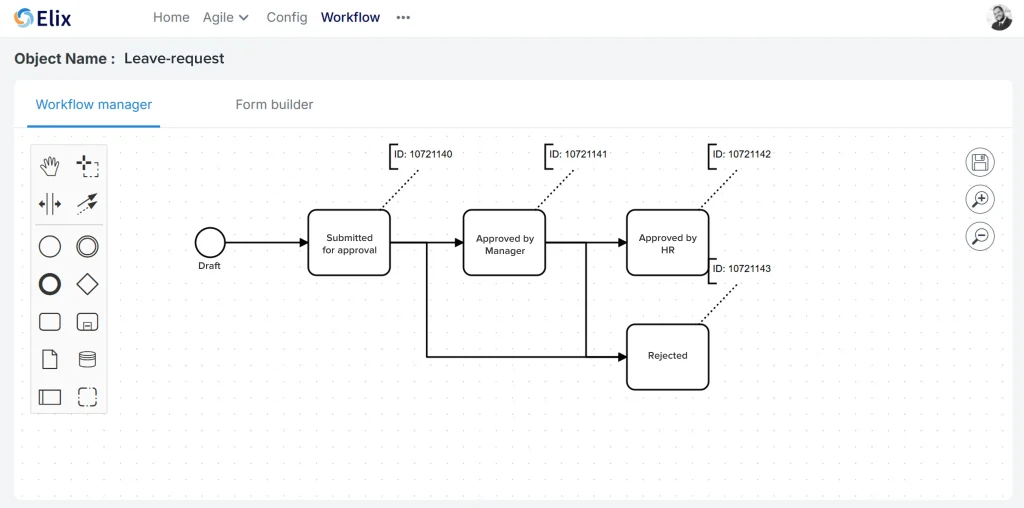
Elix approaches customization from a broader business-application perspective through its low-code builder. Its capabilities include working with business objects, forms, tables, workflows, charts and APIs.
Beyond managing tasks and deadlines, teams can configure solutions that reflect their own project governance, reporting requirements and approval procedures. For example, a company managing multiple projects could create a project portfolio management application to centralize project information, track budgets and milestones, monitor risks, and visualize progress across initiatives.
Low-code capabilities can also support specific project management processes:
| Use case | How Elix can be used |
| Project submission and prioritization | Create forms to collect project proposals, expected benefits, estimated costs and resource requirements, then structure the evaluation and prioritization process. |
| Project approvals | Configure workflows for project initiation, budget validation and scope changes, with defined review stages and status tracking. |
| Project reporting | Generate tables and charts to consolidate project data, monitor KPIs and provide managers with visibility into progress, delays and potential bottlenecks. |

Elix vs Jira: which one should you choose?
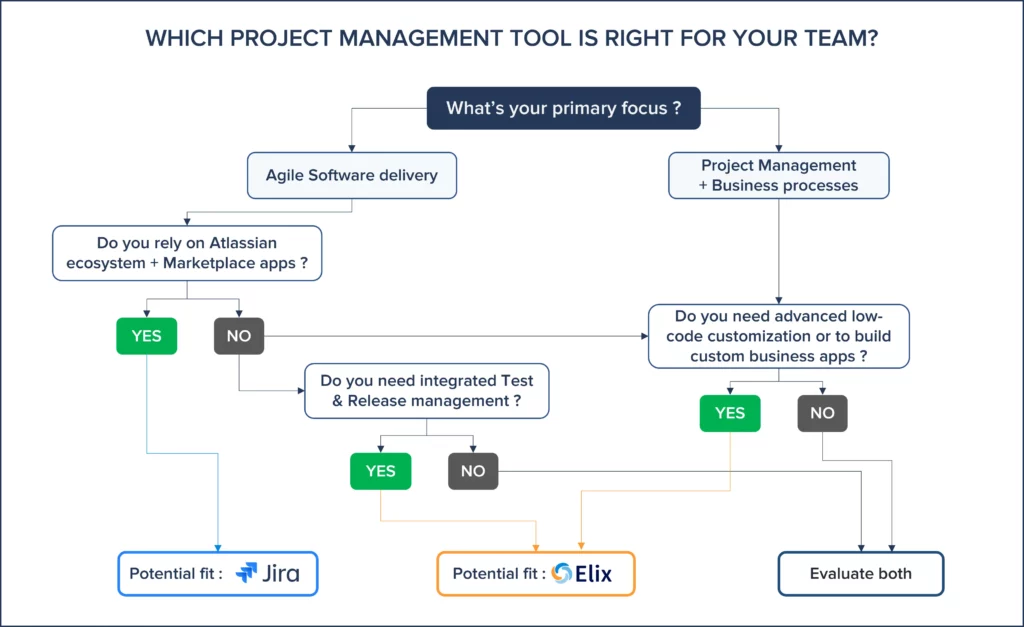
There is no universal winner. The right platform depends on the work your organization needs to manage and the environment in which your teams operate.
| Choose Elix if… | Choose Jira if… |
| You need to manage IT projects and broader non-IT business activities. | Your primary focus is Agile software development. |
| You want low-code tools to build and adapt business applications and workflows, with greater autonomy and less reliance on custom development. | Your teams rely on Scrum, Kanban, backlog management and development workflows. |
| You want business management, project and workflow management within a modular platform. | You already use Atlassian products and integrations. |
| You want to explore both cloud and on-premise deployment options. | You need a large ecosystem of specialized extensions through the Atlassian Marketplace. |

Conclusion : Choose the platform that fits your way of working
Choosing between Elix and Jira starts with understanding what your organization needs to manage.
If your primary objective is software development, Agile planning and issue tracking within the Atlassian ecosystem, Jira is a natural candidate to evaluate.
If you need to connect project management with configurable business workflows, low-code tools, ticketing, and additional IT or organizational functions, Elix deserves a place on your shortlist.
Content
According to the Project Management Institute (PMI), 40% of IT projects go over budget, and 1 in 2 is not delivered on time. To stay competitive, IT service companies need to be faster, more agile, and more transparent. This is exactly what Elix delivers: a platform designed to help IT providers accelerate delivery while giving full visibility into project progress.
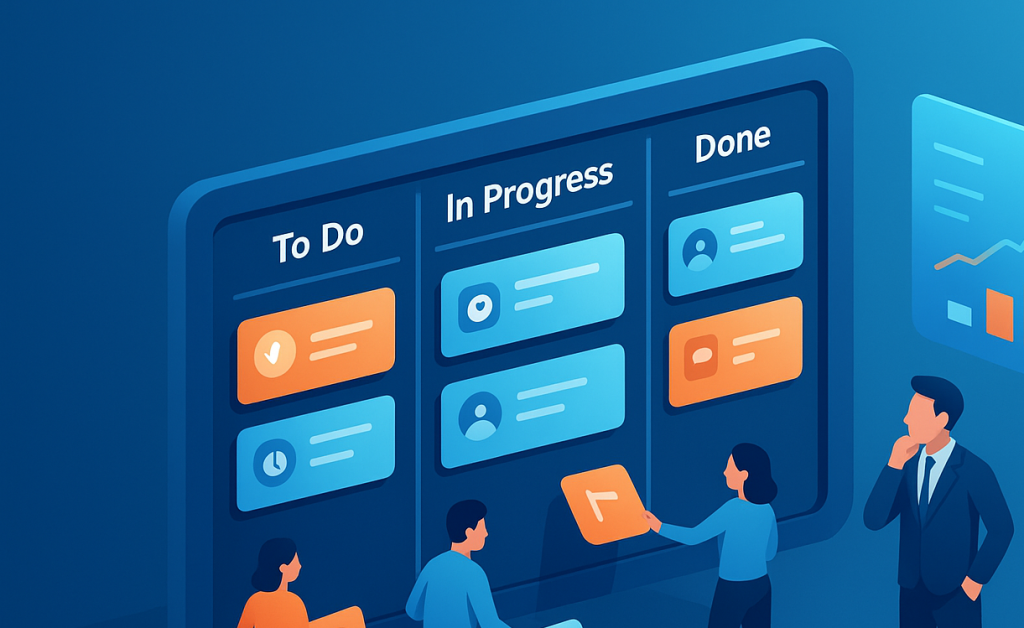
This article will walk you through the basics of ticketing and task management, why they matter, and how they transform teamwork. In the final section, we’ll focus on Elix, a modern business management software with a powerful ticketing module designed to simplify collaboration and boost productivity.

Agile project management has become the go-to approach for teams that need to adapt quickly and continuously deliver value. This article compares Agile and traditional project management, outlines key features of effective Agile tools, and shows how modern platforms like Elix can help teams master Agile delivery with confidence.